Copilot, ChatGPT, Claude or Gemini: which AI assistant should your company roll out in 2026?
Compare Microsoft 365 Copilot, ChatGPT Business, Claude and Gemini for business: data protection, integrations, administration and how to choose an AI assistant.
Richard Böhmer, MSc

Microsoft 365 Copilot, ChatGPT, Claude or Gemini - which AI assistant should you give your employees? In most cases, the deciding factor is the ecosystem your company already works in and where your data lives. If people spend their day in Outlook, Teams and SharePoint, Copilot is the natural candidate. If you use Gmail and Google Drive, it is Gemini. ChatGPT and Claude are strong standalone assistants that can now connect to both worlds.
The difference is not only in model quality, though. In a business rollout, what matters is whether the assistant works with company data, whether it respects permissions, who manages it and what happens to the information people enter. This comparison is based on vendors’ public documentation available on 19 November 2026. It is not a benchmark or a recommendation to buy a particular licence without trying it first.
Quick answer
- Company on Microsoft 365 - start with Copilot Chat, which is part of Microsoft 365, and test the full Microsoft 365 Copilot with a pilot group. Only then does the assistant work with company e-mail, documents and meetings.
- Company on Google Workspace - Gemini is already included in Workspace business plans. Set up rules and data protection, then evaluate how people actually use it.
- You need a general-purpose assistant for writing, analysis and documents - compare ChatGPT Business and Claude Team on the same tasks.
- You need answers over company data (revenue, margin, customers) - that is what our AI assistant AskData is for; it connects directly to your systems.
- Employees already use AI on personal accounts - deal with this first, whichever assistant you choose.
Quick comparison
| Assistant | Business offering | Where it is strongest | What to check |
|---|---|---|---|
| Microsoft 365 Copilot | Copilot Chat, Microsoft 365 Copilot, Microsoft 365 Business plans with Copilot | Directly in Outlook, Teams, Word, Excel and PowerPoint, over company e-mail, documents and meetings | Which licence works with company data, not just the web, and whether your file sharing is in order |
| ChatGPT | ChatGPT Business, ChatGPT Enterprise | General-purpose assistant for writing, analysis, files and custom agents; connectors to Microsoft 365, Google Workspace, Slack or GitHub | Which connectors to enable, how long data is retained and, for Enterprise, where it is stored |
| Claude | Claude Team, Claude Enterprise | Long documents, precise writing and analysis, development with Claude Code; Microsoft 365 integration | Connector management, quality in your language and whether you need SCIM and audit logs from Enterprise |
| Gemini | Gemini in Google Workspace, Gemini Enterprise | Gmail, Docs, Sheets and Meet without another app; Gemini Enterprise for agents across company systems | Which features your plan includes, DLP settings and how you will use it outside the Google ecosystem |
Plan names and features change often and also differ by country and contract type. Treat the table as a map of questions, not a final feature list.
How they differ in practice
Microsoft 365 Copilot: strongest where the company already works
Copilot’s biggest advantage is that it is not another app. It summarises an e-mail thread in Outlook, prepares meeting notes in Teams, drafts a presentation from a document or helps with a spreadsheet in Excel. Its answers are grounded in Microsoft Graph and Work IQ - what people in the company actually work on - and they respect the user’s permissions.
The difference between licences matters. According to Microsoft’s documentation, Copilot Chat without the add-on licence works only with web data and with what the user pastes or uploads. Only Microsoft 365 Copilot works with company e-mail, files and meetings. Since July 2026, Microsoft also offers Microsoft 365 Business Standard and Business Premium with Copilot for smaller companies. Advanced agentic features such as Copilot Cowork are billed by usage.
For data-driven companies, it is worth noting that Microsoft is gradually extending Copilot to answers from Power BI models and Dataverse data. The quality of those answers, however, depends on how well the data model and metric definitions are built.
ChatGPT: a general-purpose assistant that connects to many systems
For many people, ChatGPT is the first AI tool they know, which helps with adoption. The ChatGPT Business and Enterprise plans separate the company workspace from personal accounts, offer central administration and, according to OpenAI, do not use business data for model training by default.
Business is designed for teams of up to 200 people and includes SSO, connectors to Google Workspace, Microsoft 365, Slack or GitHub, and agents for recurring workflows. Enterprise adds, for example, SCIM, custom data retention, encryption key management and a choice of region where data is stored.
With connectors, ChatGPT respects existing permissions and each user has to sign in to the connected app. Even so, decide in advance which apps you will enable and for whom.
Claude: strong with text, documents and development
Companies often choose Claude for working with long documents, contracts and policies, and for precise writing and analysis. The Claude Team and Enterprise plans offer a shared workspace, central administration, SSO, projects for sharing materials, search across the organisation, Microsoft 365 integration and Claude Code for developers. According to Anthropic, content is not used for model training by default.
Team covers most smaller companies. Enterprise makes sense when you need automatic account provisioning and deprovisioning via SCIM, audit logs, custom data retention or more granular roles. Check the quality in your language on your own texts.
Gemini: AI directly in Gmail and Google Docs
If your company uses Google Workspace, Gemini is already part of your plan - in Gmail, Docs, Sheets and Meet, as the standalone Gemini app and as the Gemini Notebook research assistant grounded in your own materials. Google states that business data is not used to train models or for ads, and that Gemini only works with content the user has access to. Sensitive data can be protected with DLP, IRM and client-side encryption.
For larger companies or companies on Microsoft 365, Google offers a separate product, Gemini Enterprise. It is a platform for AI agents that also connects to Microsoft 365, HubSpot or Jira. Do not confuse it with Gemini in Workspace - it is a different product with different capabilities.
The biggest risk is not the tool choice, but shadow AI
In most companies, employees already use AI - just on personal accounts. On personal plans, conversations can often be used to improve models unless the user turns this off, and the company has no visibility into what data has left. According to their documentation, the business plans of all four vendors do not train on business data by default and give administrators control.
The second risk is less visible: an AI assistant finds everything the user has access to. If a payroll spreadsheet was accidentally shared with the whole company, nobody may have found it so far. The assistant will find it with the first question. Before rolling out, review sharing in SharePoint, OneDrive or Google Drive and label sensitive documents.
In practice, this means:
- Choose one or two approved assistants and do not use others with company data.
- Write short rules: what data may be entered, what must be checked and who is responsible for the output.
- Handle sign-in through the company identity (SSO), so that when an employee leaves, their access ends too.
- Review document sharing before you open company data to the assistant.
What to base the choice on
- Ecosystem - where do people spend their day: in Outlook and Teams, or in Gmail and Meet? An assistant built into these tools gets used the most.
- Access to company data - is working with what the user pastes in enough, or should the assistant search e-mail, documents and systems?
- Administration and identity - SSO, automatic account provisioning and removal, roles and audit.
- Data protection - training, retention, data location, DLP and labelling of sensitive documents.
- Quality in your language - test it on your own e-mails, contracts and reports.
- Extensibility - connectors, agents and APIs, if you want to go beyond chat later.
- Total cost - not just licences, but also consumption of agentic features, administration and training people.
- Adoption - the best assistant is the one people actually use. Without training and examples from their own work, the licence goes unused.
Can a company use more than one assistant?
Yes, and in practice it is common. A typical combination is one assistant for everyone, built into the office suite, and a second one for selected roles such as analysts, marketing or developers. What matters is that both are approved and managed, and that people know which one to use for what.
A simple pilot before you decide
Instead of buying licences for everyone, run a pilot for 4 to 6 weeks:
- Pick 10 to 30 people from different departments, not just enthusiasts.
- List 10 to 15 tasks they do every week - e-mails, meeting notes, proposals, reports, searching documents.
- Have the same tasks done in one or two assistants.
- Measure time saved, output quality, the need for corrections and how often people actually used the assistant.
- Record every case where the assistant found something it should not have. That is your input for fixing permissions.
The result is a data-backed decision: who gets a licence, who does not and what needs fixing before a wider rollout.
Where an AI assistant is not enough
An assistant for employees helps with everyday work. It will not solve tasks that require reliable answers over your ERP, data warehouse or a specific process. If AI is to answer questions about revenue and margin, it needs a solid data model and clear metric definitions - more in AI-ready architecture.
This is exactly why we built AskData, our own AI product. It does not replace Copilot or ChatGPT, it complements them: it connects directly to your source systems, only reads data, respects access rights and shows what each answer is based on. Ask “Why did revenue drop last month?” and you get an answer with a chart, without waiting for a new report. We offer it as a service, and you can try it free for the first 2 months.
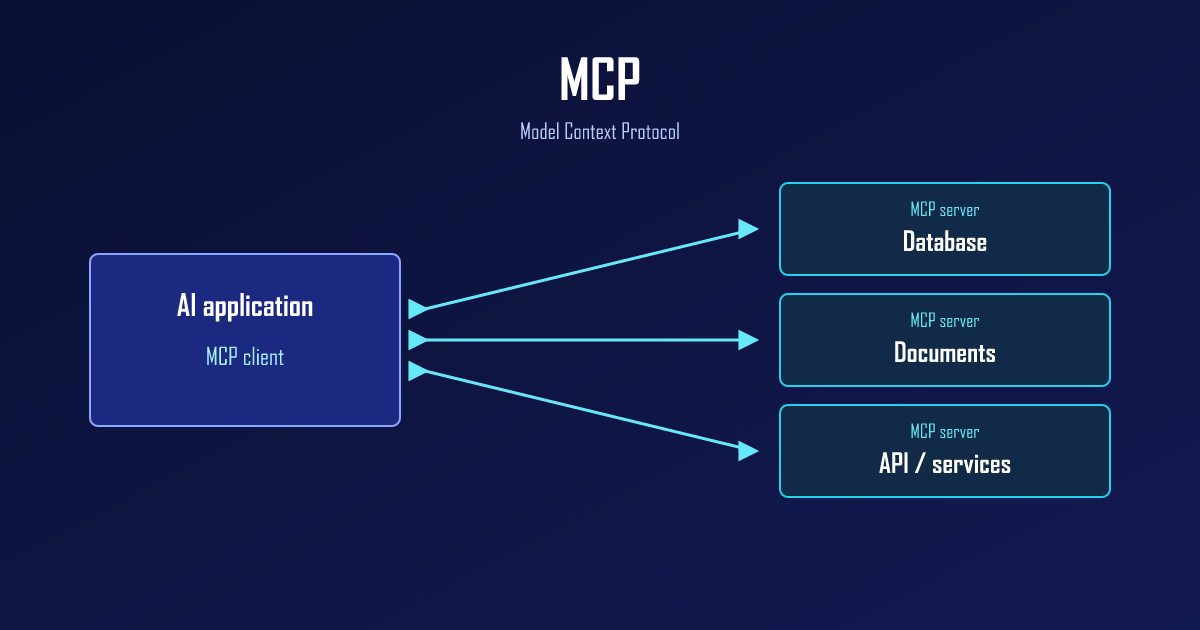
For questions over internal documents with source references, there is the AI chatbot over your documents (RAG); for automating steps in a process, AI agents; and for safely connecting AI to company systems, MCP. If you are choosing a model for your own solution, see our comparison of GPT, Claude, Gemini and DeepSeek.
So which AI assistant should you choose?
Start where your people already work, and sort out rules and data first, licences second. For a company on Microsoft 365, Copilot is the natural starting point; for a company on Google Workspace, it is Gemini. Consider ChatGPT or Claude where you need a strong standalone assistant, or as an addition for selected teams. The outcome is decided not by the tool’s name, but by a pilot on your own tasks.
We are happy to help with the selection, the pilot and data preparation. See our AI projects, our AI assistant for data AskData or get in touch for a consultation.
Frequently asked questions
Is it safe to use ChatGPT in a company?
According to OpenAI, the ChatGPT Business and Enterprise plans do not use business data for model training by default and give administrators control over access and data retention. The bigger risk is employees’ personal accounts, which the company cannot control. Besides the tool, you therefore also need clear rules on what data may be entered.
Is Copilot Chat enough, or do we need Microsoft 365 Copilot?
Without the add-on licence, Copilot Chat works with the web and with what the user pastes or uploads. If the assistant should work with company e-mail, documents, calendar and meetings, you need Microsoft 365 Copilot. The difference is worth testing with a pilot group.
Does an AI assistant respect permissions within the company?
Copilot, Gemini and the connectors in ChatGPT and Claude access data with the signed-in user’s permissions. That is both good news and a risk: the assistant finds everything the user has access to, including things shared by mistake. Review document sharing before the rollout.
How long does it take to roll out an AI assistant?
Switching it on technically takes days. A pilot with evaluation usually takes 4 to 6 weeks. Most of the time goes into fixing permissions, usage rules and training people.
Sources and review date
- Microsoft Learn - What is Microsoft Copilot?
- Microsoft - Microsoft 365 Business with Copilot
- Microsoft - What’s New in Microsoft 365 Copilot, June 2026
- OpenAI - ChatGPT Business and Enterprise
- OpenAI - Enterprise privacy
- Anthropic - Claude plans
- Google Workspace - AI for business
- Google - Gemini for business
Information was reviewed on 19 November 2026. Plans, features and terms may change; before purchasing, check the current documentation and contract of the specific vendor.