How to connect business systems: ERP, CRM and e-shop in one report
ERP, CRM and e-shop each tell a different story. How to connect them into one report - API, integration platform or data warehouse - and when to use which.
Richard Böhmer, MSc
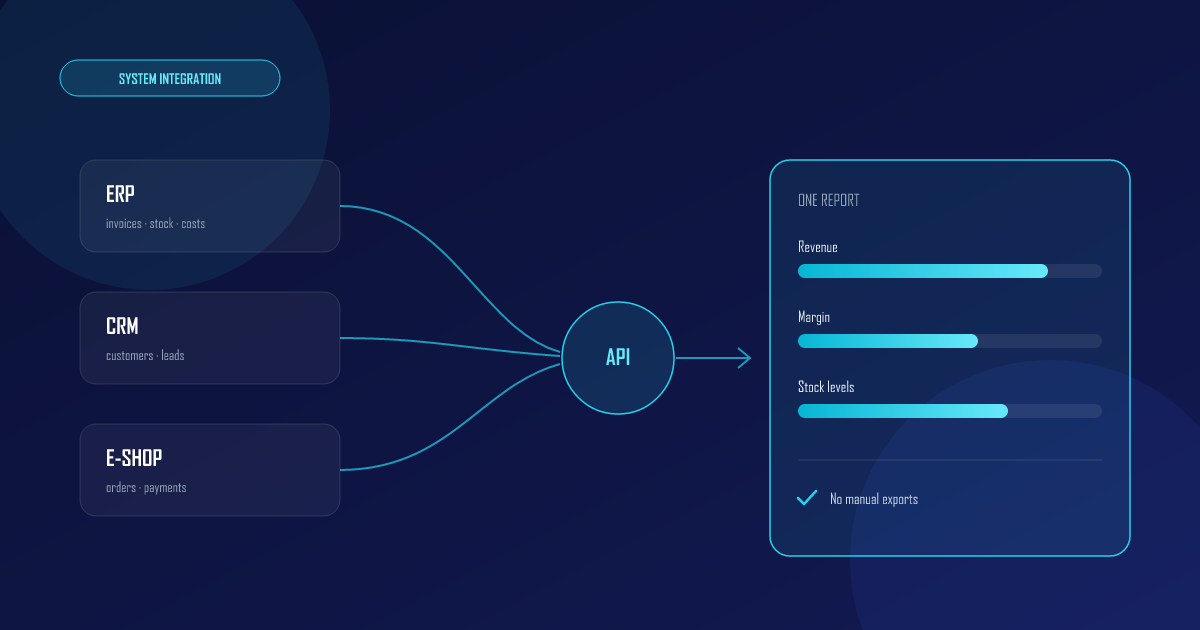
Orders live in the e-shop, invoices in the ERP, customers in the CRM - and the answer to a simple question like “how much does each customer actually earn us?” exists nowhere. Connecting business systems is exactly about this: getting data from multiple systems into one place where it makes sense together.
Why systems don’t “connect themselves”
Every system is designed for its own agenda, not the one next door. The ERP has no idea what a marketing lead is, the CRM can’t see stock levels. The result in practice:
- Manual exports - someone downloads CSVs every week and glues them together.
- Duplicate data - the same customer exists in three systems under three different names.
- Decisions made blind - margin per order can’t be calculated because costs and revenue live in different worlds.
If this sounds like your month-end close, we wrote more about it in our article on modern financial reporting.
3 ways to connect your systems
1. Direct API integrations (point-to-point)
System A calls system B’s API: the e-shop pushes an order into the ERP, the ERP returns stock availability. Fast and precise for real-time operations - the customer immediately sees whether an item is in stock.
The downside: the number of connections grows quadratically with the number of systems. Three systems = 3 connections, six systems = up to 15.
2. Integration platform (iPaaS)
Tools like Make, n8n or Azure Logic Apps act as a middleman: an event in one system triggers a scenario that writes data into others. Great for quick flows like “new order → CRM record → Teams notification”.
The downside: with complex logic and large volumes, scenarios become hard to read and even harder to test.
3. A data warehouse as the central point
For reporting and analytics, the cleanest solution is to load data from all systems into a data warehouse. There it gets unified (one customer = one record), joined together, and Power BI runs on top.
The downside: it doesn’t solve real-time operations - that’s what the first two approaches are for.
Which approach when
| Need | Best approach |
|---|---|
| An e-shop order must appear in the ERP instantly | Direct API |
| Notifications, simple flows between SaaS tools | iPaaS (Make, n8n) |
| One report across all systems, history, KPIs | Data warehouse |
| All of the above | A combination - the most common in practice |
Real companies need a combination: APIs for operations, a data warehouse for reporting.
What it looks like in practice
A typical project for an e-shop with a warehouse:
- Orders and payments flow from the e-shop into the ERP via API - automatically, within a minute.
- Every night, data from the ERP, CRM and e-shop is loaded into the data warehouse.
- In the morning, the owner opens a Power BI report: revenue, margin by product, stock levels and unpaid invoices - three systems in a single view.
No CSVs, no copy-pasting, no “which version is current”.
How to start
- Map your systems and flows - what originates where and who manually moves it. Every manual transfer is an integration candidate.
- Start with the most painful flow - usually orders or invoicing.
- Design for the future - a well-built integration survives an e-shop replacement and growing volumes.
We broke down what such a project costs in our article on data project pricing.
Want to connect your systems? Check out our API integrations or get in touch - we’ll design a solution that fits.