Microsoft Fabric: is it worth switching to?
Microsoft Fabric is Microsoft's biggest step in the data platform space in years. We take an honest look at who it makes sense for - and who should still wait.
Richard Böhmer, MSc
For the past two years, Microsoft Fabric has been a topic you can’t avoid. If you’re a Microsoft customer, you’ve certainly heard about it - whether from your account manager or from LinkedIn, where some consultants sell it as “a revolution that solves everything”.
The reality is more sober. Let’s look at it without the marketing.
What Fabric actually is
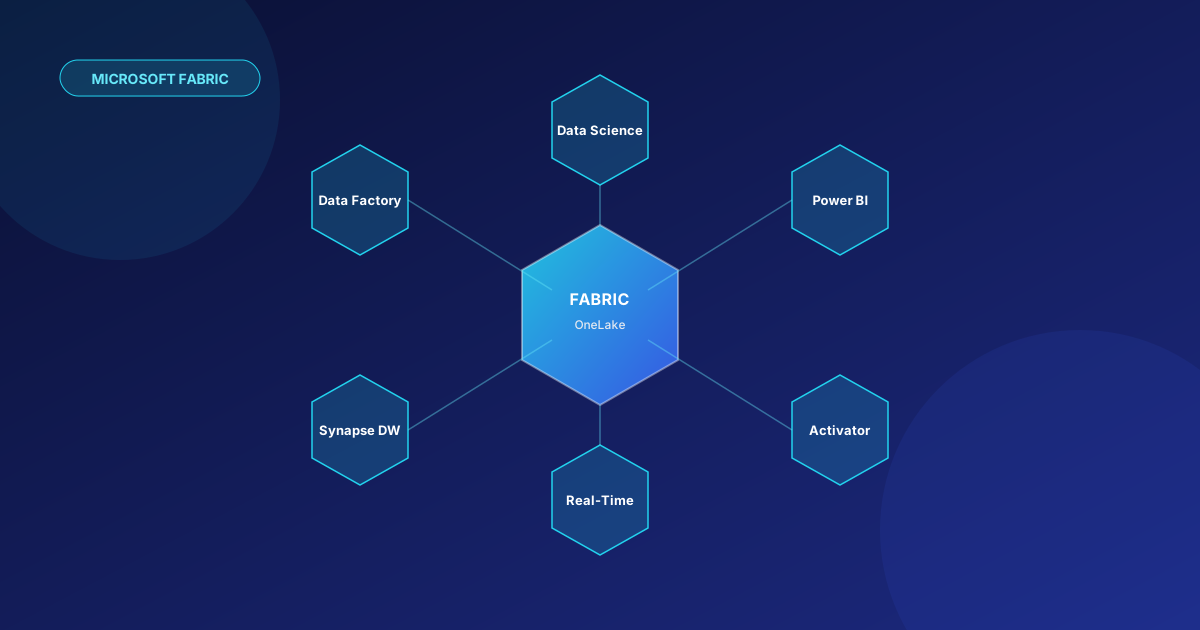
In short: Microsoft took several existing products and wrapped them into a single platform with unified licensing, unified storage (OneLake) and a unified UI.
In a single “Fabric workspace” you now have:
- Data Factory - orchestration of ETL/ELT, dataflows, pipelines.
- Synapse Data Engineering - Spark notebooks, lakehouse.
- Synapse Data Warehouse - a T-SQL data warehouse (the successor to the dedicated SQL pool).
- Synapse Data Science - ML experiments, MLflow.
- Synapse Real-Time Intelligence - KQL databases, event streaming.
- Power BI - semantic models, reports, dashboards.
- Data Activator - reactive alerts/actions over data.
OneLake is “OneDrive for data” - a single Delta-formatted storage space for the whole organisation. All the services read from and write to the same place, without the need to copy.
What’s genuinely good about it
1. The end of “silos between tools”
When you have Data Factory in Azure today, Synapse in another resource group, Databricks somewhere else and Power BI on top of that, a lot of time is lost on connections and duplicates. Fabric removes these barriers.
2. OneLake + Delta = openness
Data in OneLake is in the Delta format (an open standard). Databricks, Snowflake, Trino, any Python script can read it. You’re not locking yourself into a proprietary format.
3. Direct Lake mode in Power BI
Power BI can read directly from OneLake without import and without DirectQuery latency. For large datasets this is a significant improvement in both speed and cost.
4. Capacity-based licensing
You pay for capacity (F SKUs), not for individual services. With heavy use of multiple components this is cost-effective and predictable.
5. Gradual maturing
Fabric reached GA in 2023 and Microsoft is investing in it massively - features are added every month. Today’s state is significantly further along than a year ago.
Where to be careful
1. Capacity is a blunt instrument
Capacity is a shared resource. A single runaway notebook or a bad Power BI report can consume so much that other workloads start slowing down or throttling. You need monitoring and governance right from the start.
2. Some things are still “young”
- The Data Warehouse in Fabric is excellent for most workloads, but some T-SQL features are missing or behave differently from the dedicated SQL pool.
- Real-Time Intelligence is powerful, but governance and CI/CD around KQL databases are still evolving.
- Data Activator is an interesting concept, but few deploy it in production.
3. Migrating from Synapse is not “lift & shift”
Microsoft describes Synapse as “still supported”, but the direction is clear - Fabric. However, migrating a dedicated SQL pool → Fabric DW is not trivial. You need to rework pipelines, test T-SQL compatibility and reconsider security.
4. Cost at low usage
The smallest production capacity (F2/F4) costs several hundred euros a month. If you only have a few Power BI reports and a small ETL, Power BI Premium Per User or a Pro licence may work out cheaper.
5. Lock-in through Power BI
OneLake is open, but Power BI semantic models, Direct Lake, Data Activator are specific to Fabric. The more you use these features, the tighter the coupling.
Who Fabric makes sense for - today
Yes, switch if:
- You already have Power BI Premium capacity and are using it heavily.
- You’re planning a new data warehouse and the Microsoft stack is your choice.
- You have a team that combines SQL, Spark and Power BI and you want to put it all under one roof.
- Your data is in a Microsoft 365 / Dynamics 365 / Fabric environment - native integration saves weeks of work.
- You’re starting from scratch and want a modern lakehouse model without having to assemble a platform from 5 products.
Wait a while / consider alternatives if:
- You have a stable Synapse setup that works and has no business reason to change.
- Your infrastructure is primarily AWS or GCP.
- You’re planning heavy ML/AI workloads at the level of large models - Databricks is more mature here.
- You have a very small reporting use case - Power BI Pro is enough.
- You have a team that is right now changing technologies elsewhere and has no capacity for another migration project.
Our view
Fabric is a strategic choice for most Microsoft-centric companies over a 2-4 year horizon. Microsoft is directing all its investment there and gradually moving customers there too.
That doesn’t mean you need to migrate today and all at once. The most common sensible scenario:
- A pilot on a new use case - build one new dataset/report directly in Fabric and learn it.
- Let existing systems keep running - until there’s a strong reason to change them.
- Plan the migration gradually - module by module, with clear success criteria.
We help companies make data platform decisions without vendor bias - our goal is for it to make sense for you in the long term. If you’re considering a move to Fabric or can’t decide between platforms, write to us - we’ll be happy to look at your specific situation.